Display Activity and Role Usage on a Project Dashboard
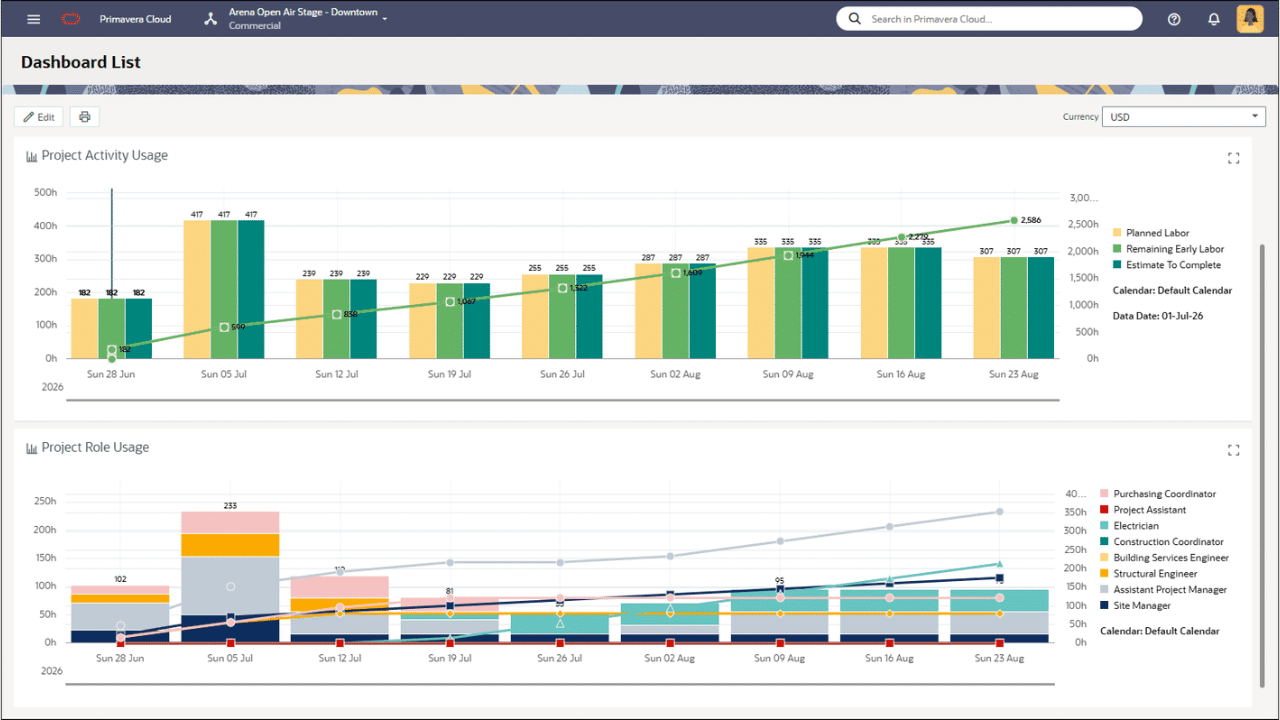
Add the new Project Activity Usage and Project Role Usage tiles to a project dashboard to analyze its resource and role allocation data. Set the timescale and configure these tiles to display units or costs over time. Add the Activity Usage tile for earned value, early, and remaining values for activity assignments. Use the Role Usage tile to display these values by selected roles.
Portfolios
Usability Enhancements Added to the Budget Planning Page
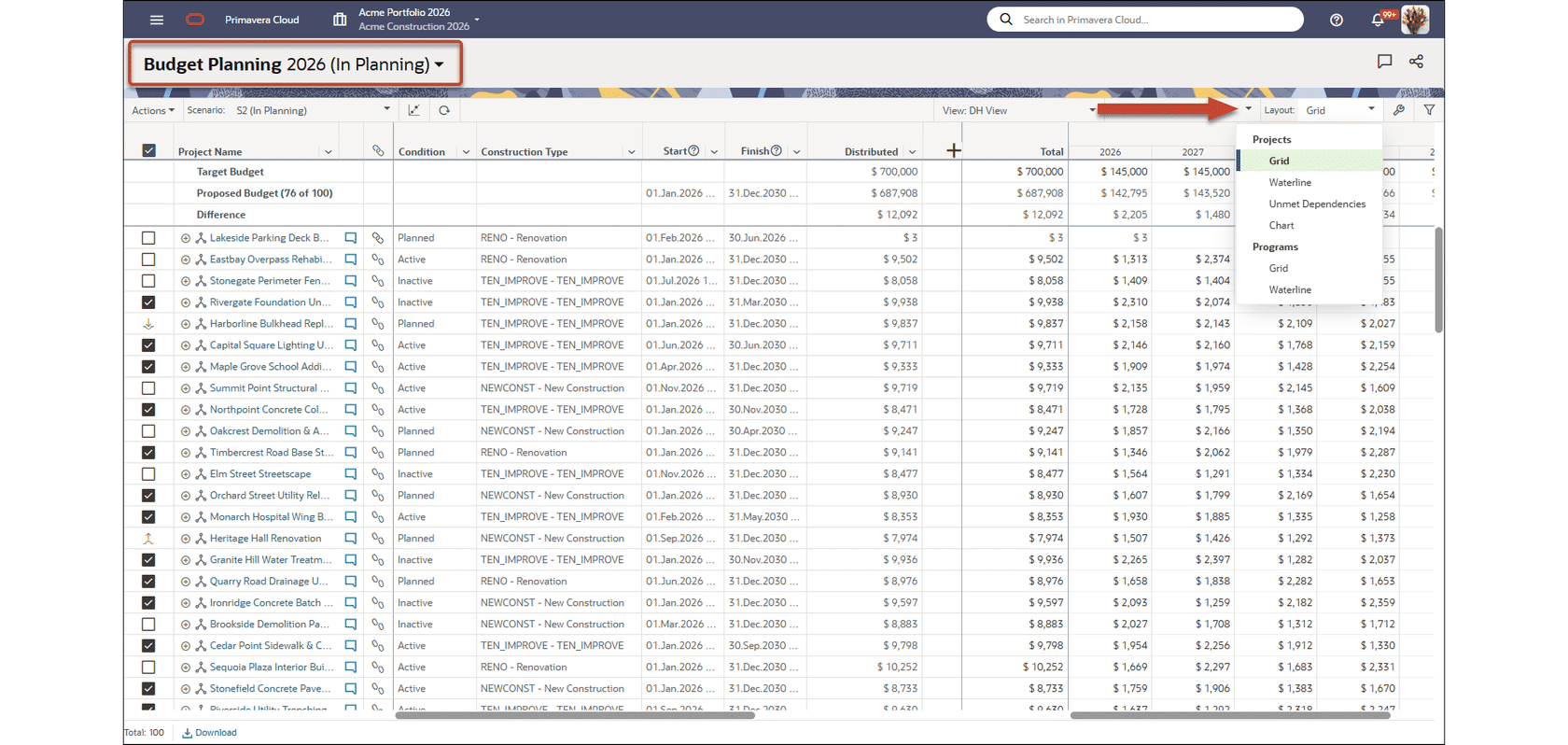
The Budget Planning page in Costs and Funds is updated with a consolidated page header, providing more room to perform your work. The selected planning period is also displayed more prominently. The Layout menu is now organized by project and program options, making it easier to select a project/program and layout combination. The name of the selected layout is also displayed at the top of the menu.
Risk
Create Views for the Risk Distribution Results Page
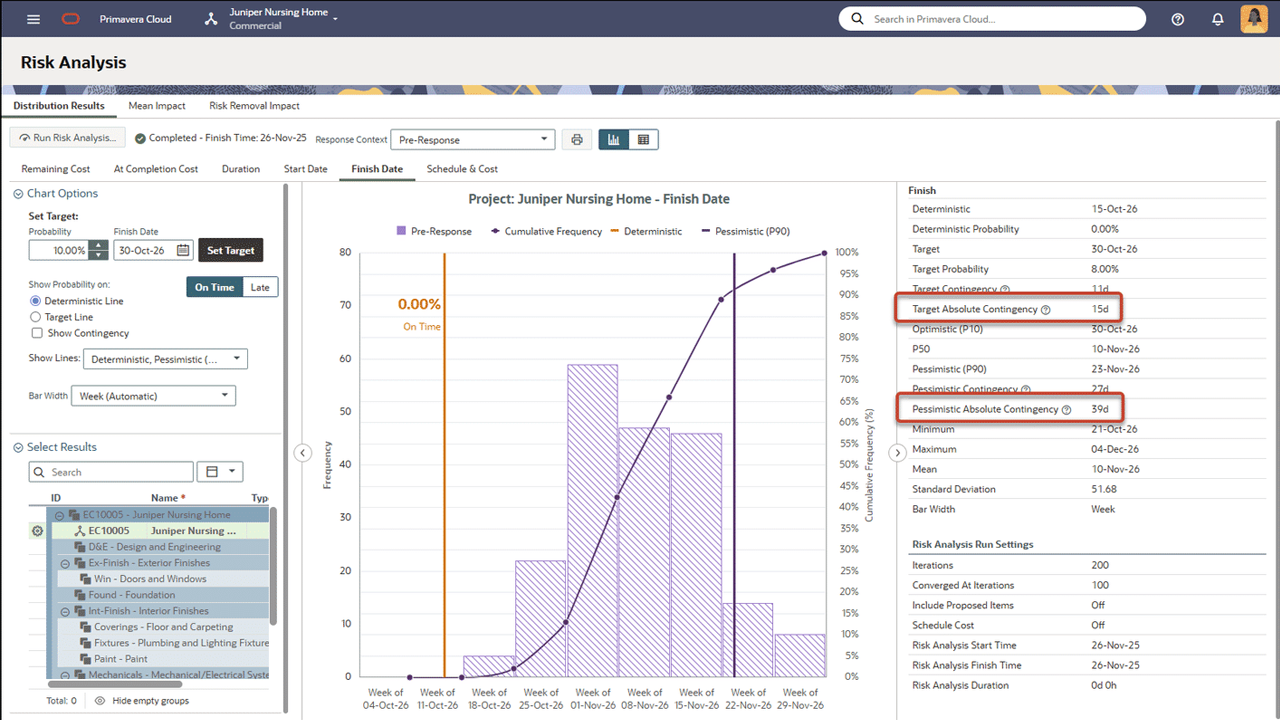
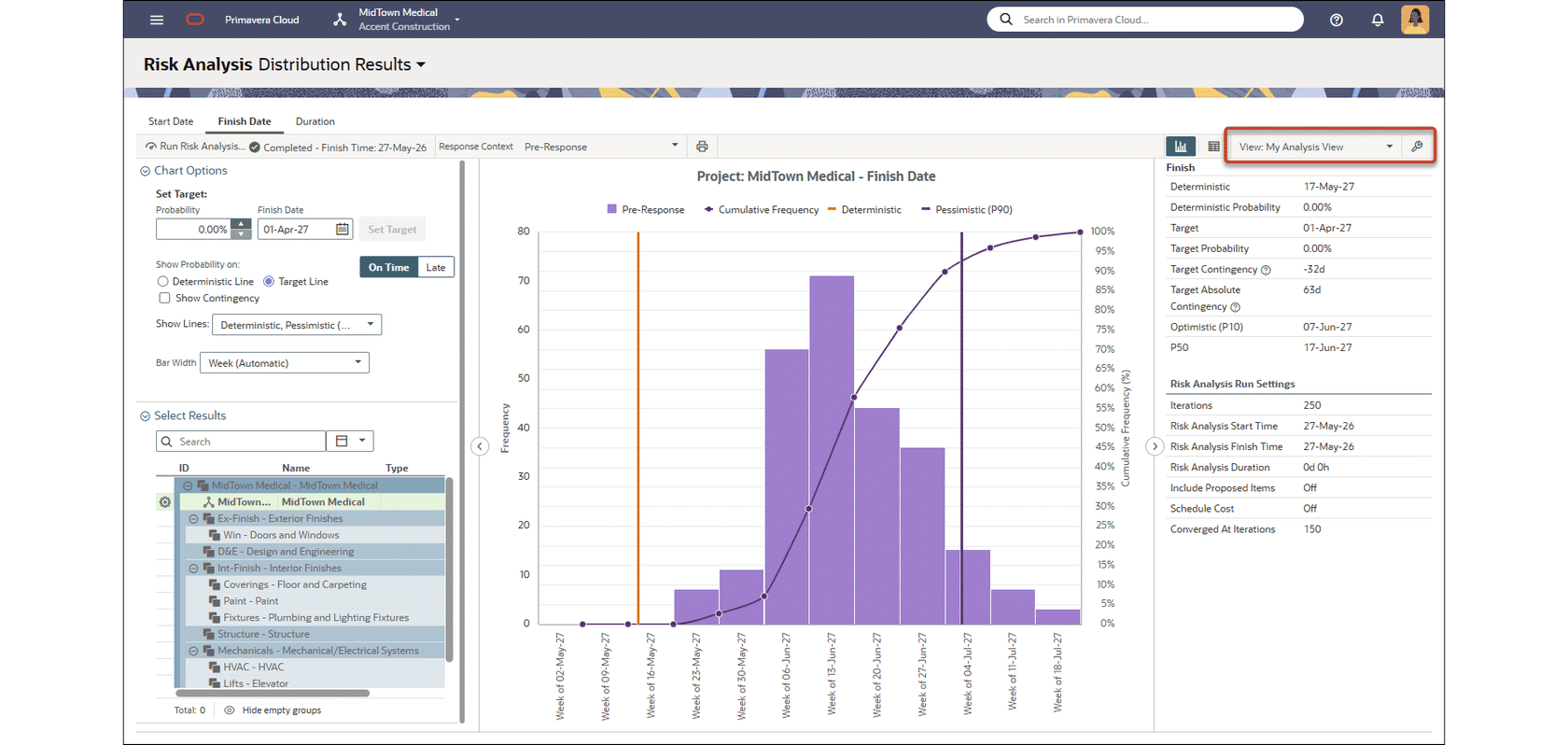
Named views are now available for the Risk Analysis Distribution Results page. Create project, workspace, and personal views to customize the tabs displayed, and fields included in the Statistics and Risk Analysis Run Settings panels.
Schedule
Filter Activities by Baseline Finish and Start Date Variance
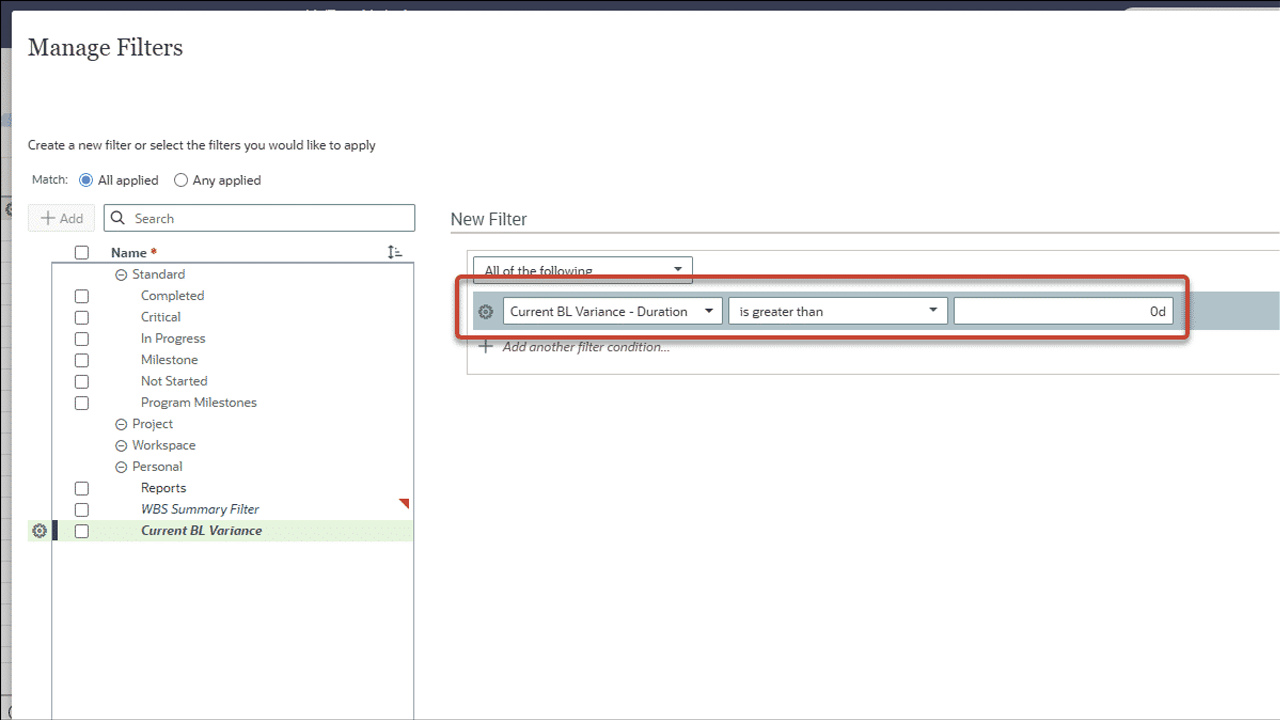
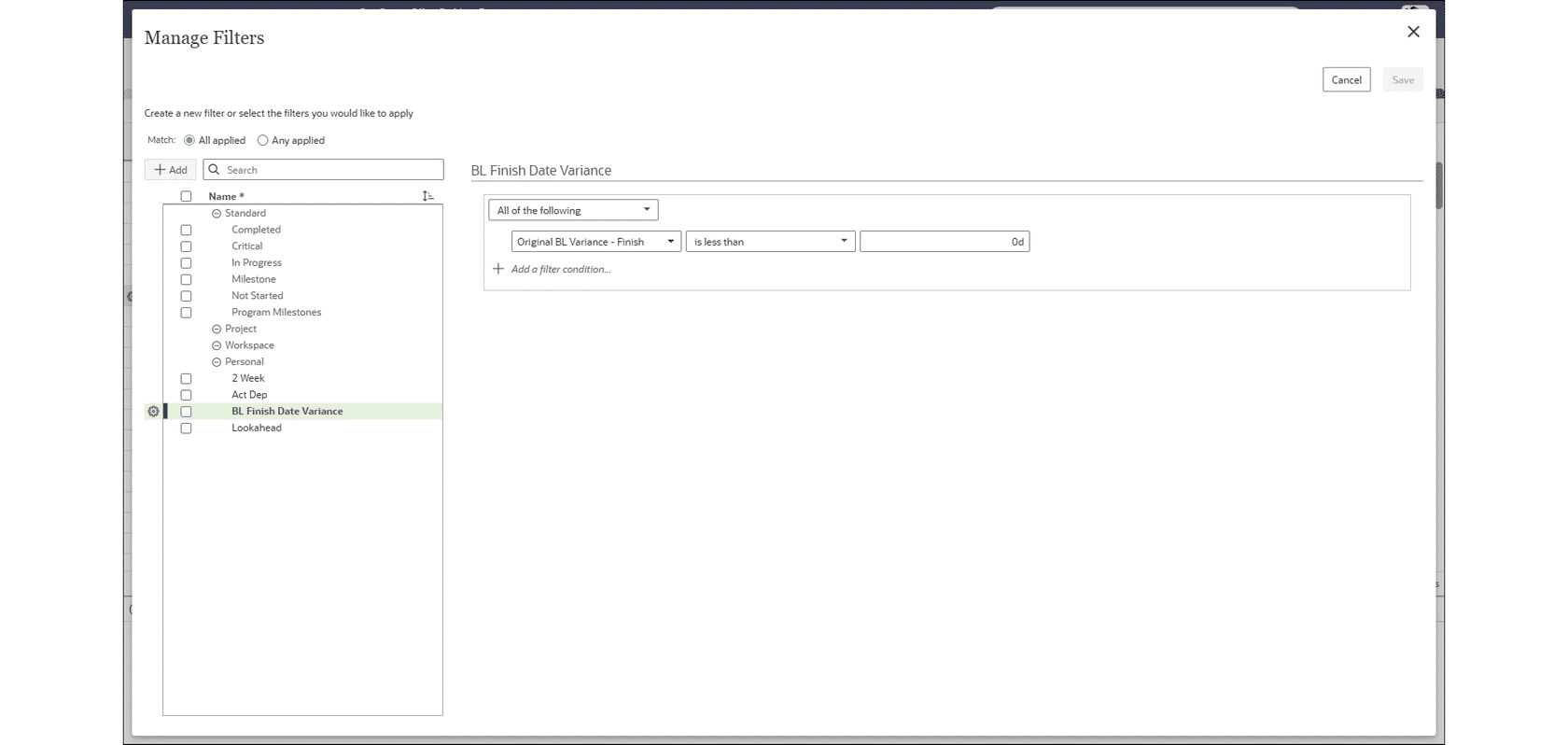
Add filters for baseline date variance to the Activities page, as well as activity reports and charts. For example, filter for activities with baseline finish variance less than zero to identify those that are behind schedule. Original, current, and supplementary baseline dates are available to use in filters.
Additional Features
Please click on the item to learn more.
Code Hierarchies Now Limited to 25 Levels
A limit of 25 levels is now enforced when creating child-parent relationships between codes. Attempting to indent or create a child code beyond this limit will result in an error message.
Conflicting Jobs Check Added for Recalculate Costs
A check has been added to prevent Recalculate Costs from being run when a conflicting job is already running. When a conflict is detected, the Recalculate Costs job will fail, and the log will detail the conflict.