Fiscal-Year Support for Funds Planning
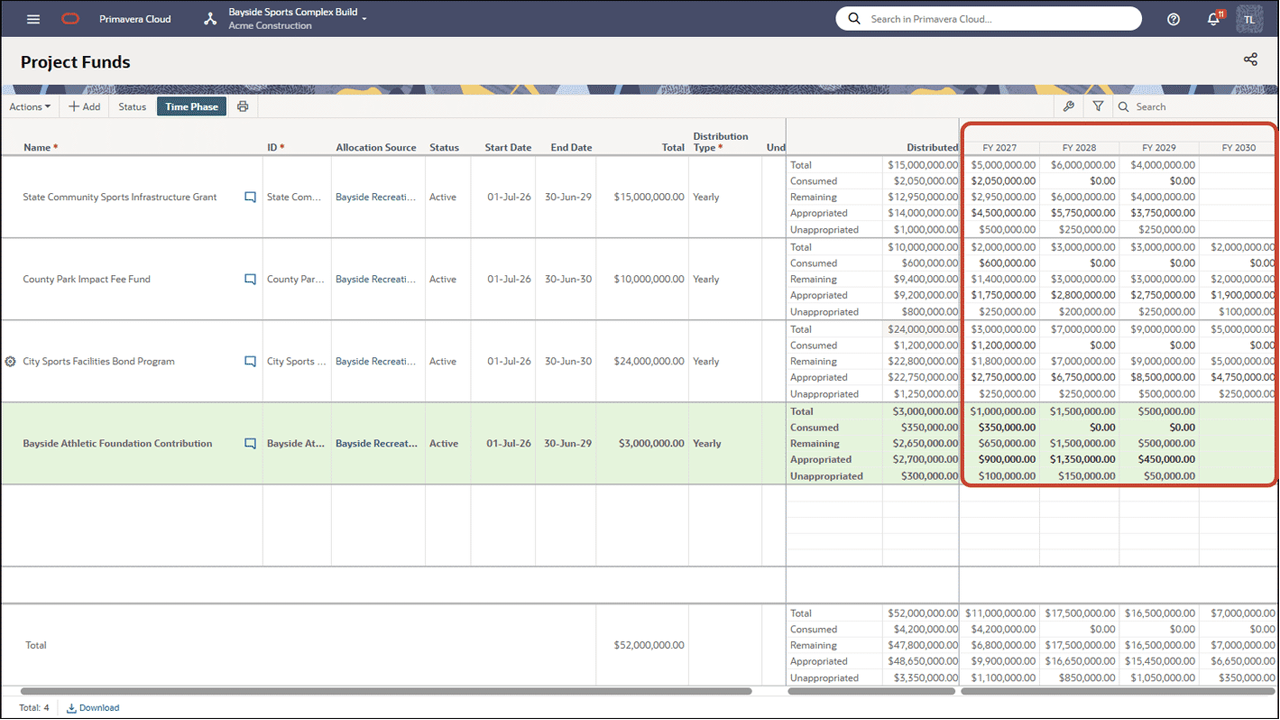
Organizations that use non-calendar fiscal cycles can now apply funding sources to planned projects. Project Funds, Portfolio Fund Sources, and the Budget Planning Funds details panel now align with your configured fiscal-year calendar. Fiscal-year labels and time-phased views help teams interpret annual, quarterly, and monthly values consistently.
Risk
Propose Project Risks for Inclusion in the Risk Library
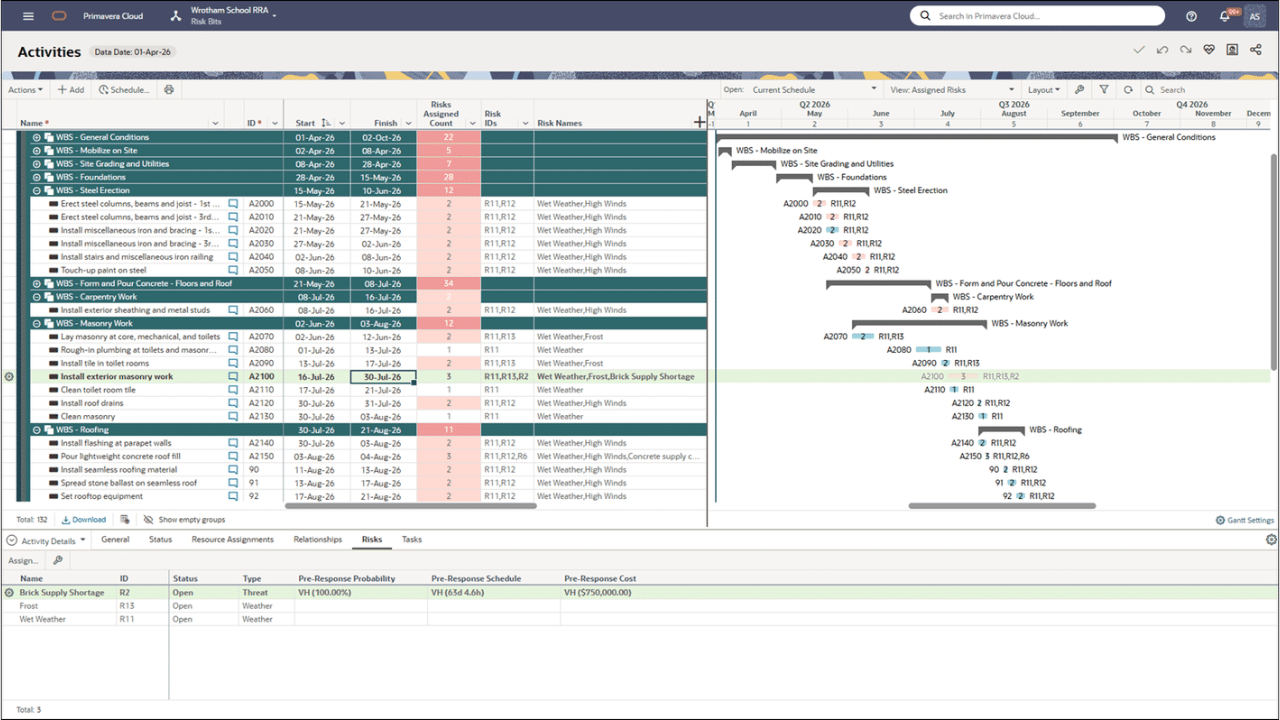
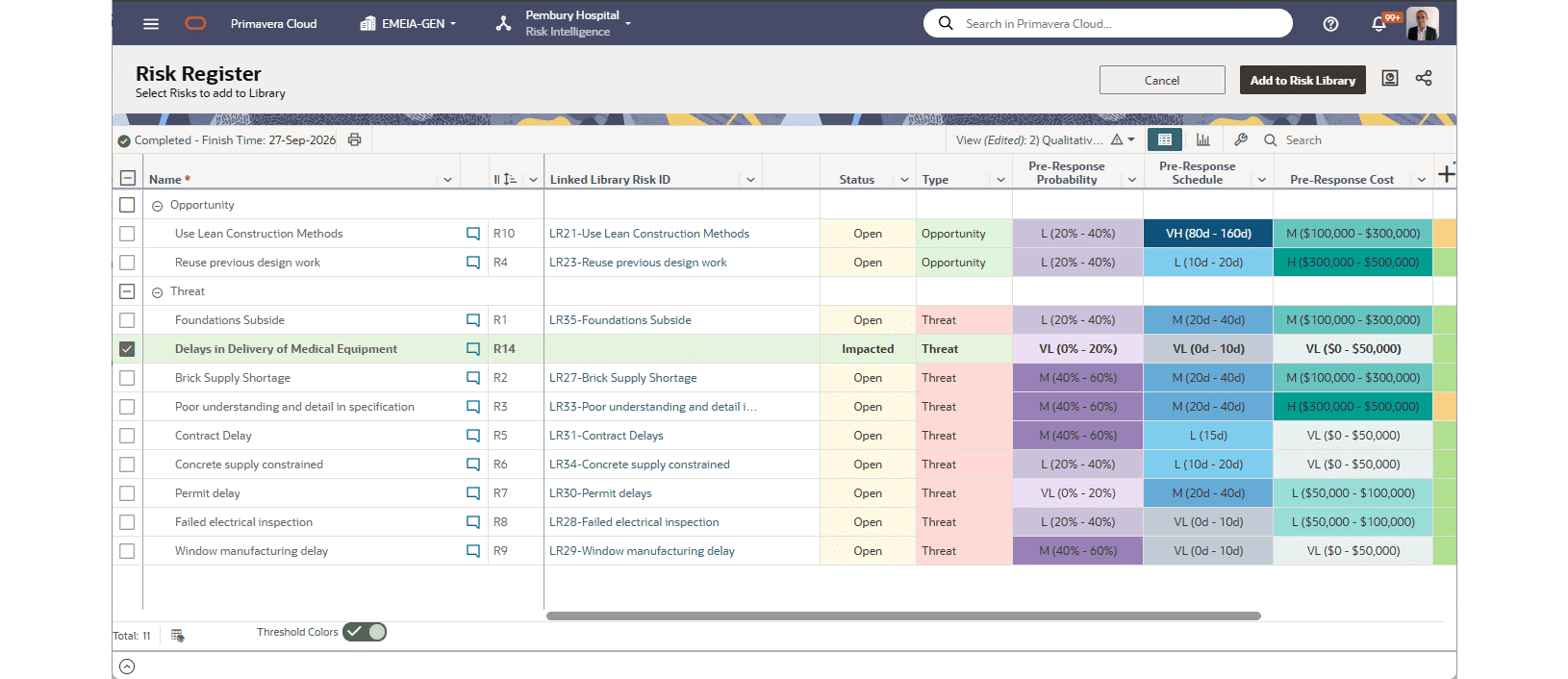
Project teams can now propose existing Project Risks for inclusion in the Workspace Risk Library, helping organizations capture useful risk knowledge from across their projects and make it available for broader reuse. New views, indicators and permissions support the proposal and review process while maintaining governance over what becomes approved Library content.
Workflows and Forms
Copy Cost Breakdown Structures in Workflows
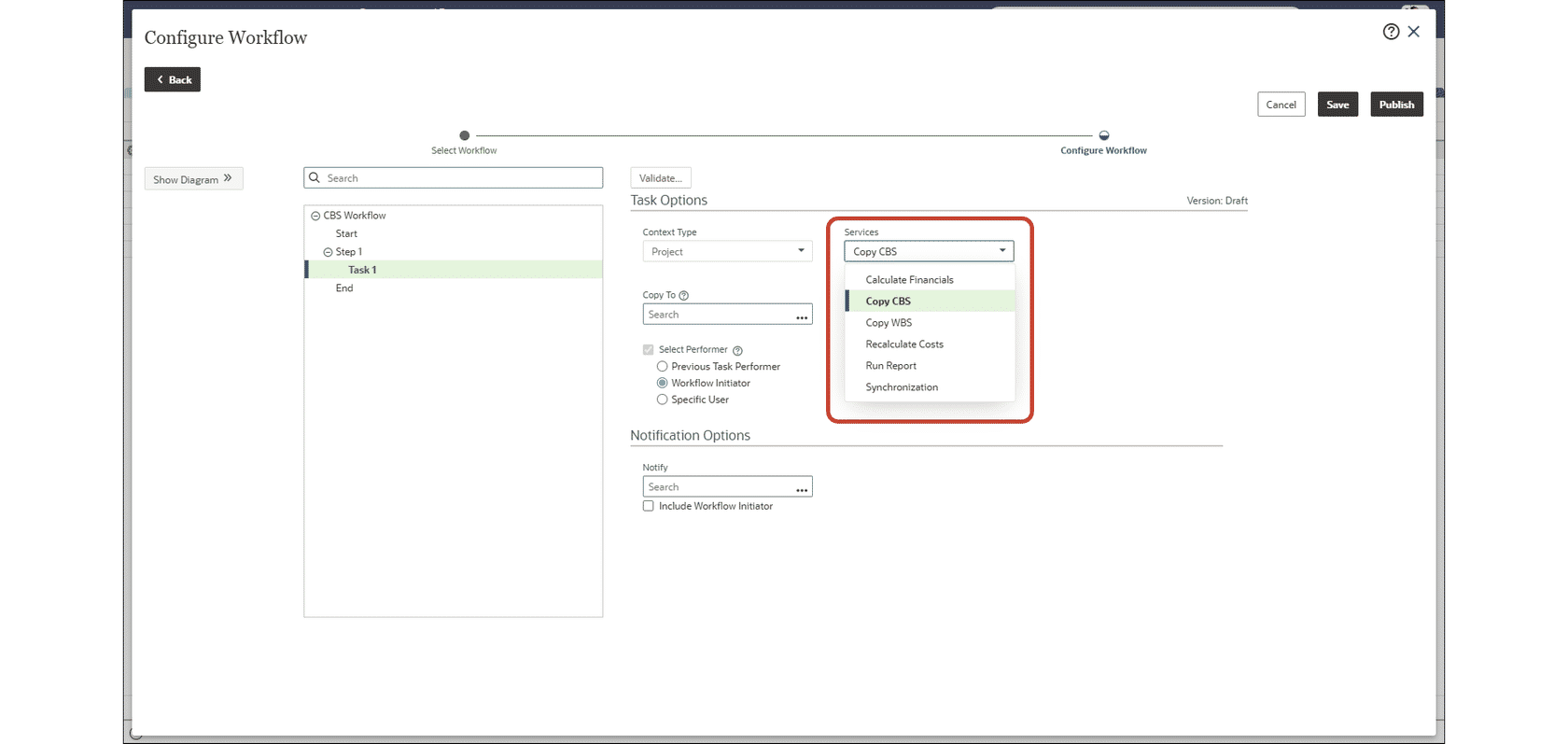
Workflows now include a Copy CBS task that automatically duplicates a Cost Breakdown Structure as the workflow runs. Administrators first create a Services Task on a workflow design and then configure the task, its source, and destination context on the workflow configuration, reducing manual setup when projects need the same CBS structure.
Additional Features
Learn More
Budget Plan Link Status Indicator
Budget Planning now displays a visual indicator for the proposed budget link setting. The indicator makes it easier to see whether Planned Budget or Forecast settings are enabled while reviewing and managing budget plans.
Clearer Scenario Approval Messages
When a Budget Planning or Published View scenario contains projects in Proposal status, the approval message now clearly explains why the approval is blocked. The message identifies the affected projects and their count, helping teams resolve the issue before approving the scenario.
Detailed Error Logs on P6 Project Imports
P6 XML/XER import logs now identify the specific object involved when processing fails, including activities, WBS elements, resource assignments, and activity relationships. Clearer error details help teams correct invalid data faster without extensive log analysis.